
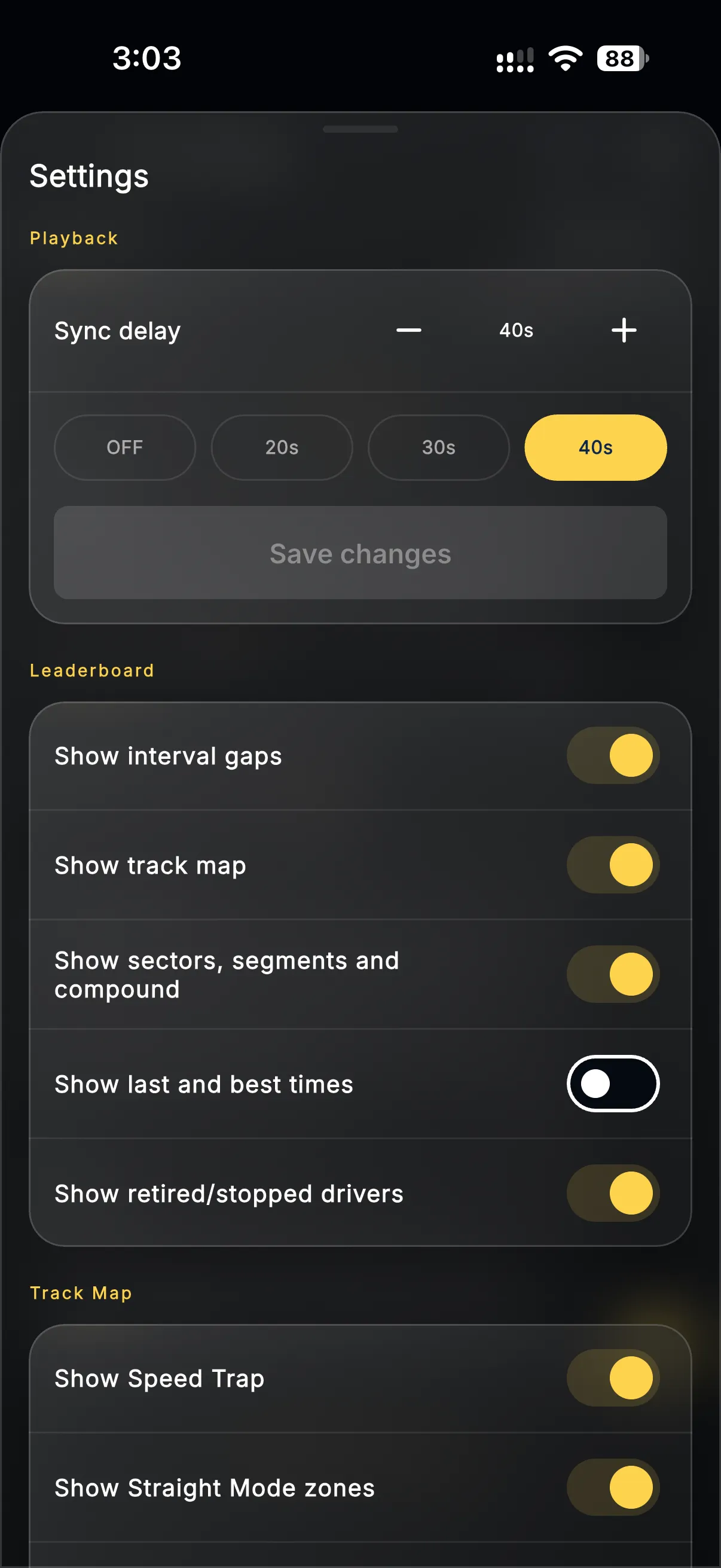
Sync delay: F1 data without spoilers

Your stream is behind the live data. Set a delay and Formula Live Pulse holds everything back by exactly that much, so the app and your TV show the same moment.

Sync delay setting in the Formula Live Pulse app

What you see

Up to 120 seconds

Set the delay that matches your broadcast or stream.

Applies to everything

Timing, events, team radio and every analysis panel follow the same delay.

No spoilers, even in charts

Panels show data only up to your delay, never anything newer.

F1, F2, F3 and F1 Academy

The same delay works in every live timing series.

Why live data spoils the race

A TV broadcast or an online stream reaches you seconds after the action. Live timing does not wait. Without a delay, the app tells you about an overtake or a Safety Car before you see it. The sync delay fixes that by holding back every piece of live data by the amount you choose.

Set it once per broadcast

Different providers have different delays. Set yours at the start of the session and everything, from live timing to team radio, follows.

Questions

Why is my F1 stream behind the live timing?

Broadcasts and streams are delayed by encoding and distribution, often by tens of seconds. Live data arrives faster, which is why it can spoil what you are about to see.

How do I find the right delay?

Watch for a clear moment such as a car crossing the line, compare it with the timing, and adjust the delay until they match.

Your pit wall is ready

Download Formula Live Pulse before the next session, or open it in your browser.